Our mission is to provide professionally trained Civil Engineers for all type of civil engineering services. Increase the supply of efficient & highly skilled Civil Engineers and serve the Civil Engineering Community.
Read More
This is an advanced course explaining the comprehensive process of project planning using Primavera P6 as a tool. A hands-on civil engineering project program is developed showing step by step process so that students learn how to plan, analyze, and manage the project using Primavera P6. The first module provides a detailed process of moving a project forward and backward. It’s not unusual to see that the project commencement date moves forward and it’s very vital to know how to move the project program accordingly. The course also delivers a detailed process of setting a baseline of the program. This will assist Managers to monitor the project program as the project progresses. The second module discusses, project resources for each activity. This will help to determine overall project cost as well as the breakup of the cost of each task. This process helps project managers to optimize overall project costs for any bidding or tender activity. The third module discusses the process of assessing the percentage completion of each activity. Percentage completion can be provided by updating physical and duration completion. The fourth module covers the complete process of assessing critical path and total float within the project program. Critical Path analysis assist project managers to delegate more resources to complete those tasks in time. Float within the program helps project managers to chip-in a new task in the program without impacting the overall project duration. The fifth module provides details of printing various project reports such as project reports, cost reports, organograms, from the Primavera P6.
Read more
The Course Modules are designed to assist students to understand Broad division of Civil Engineering, capability enhancement of Civil Engineering disciplines and collaborative working practices. The course also provides details of various design stages, contract process, Road Safety Audit, Risk & Mitigation measures. The first module covers the identification of appropriate discipline in Civil Engineering and capability enhancement process of identified disciplines. it also covers all the stage of a civil engineering project from concept design to route selection to preliminary design, tender and construction stage. The second module provides a comprehensive process of the preliminary design of a new greenfield road development project. It covers all the key stages such as route selection stage, identification of preferred route, bridge design option, comparison of model benefits and BCR, public consultation of preferred routes, PD design of final option and road safety audit stage-1. The third module covers a comprehensive process of the detailed design of a new greenfield road development project. It covers all the key stages of detailed design, tender process, construction process and operation & maintenance stages. It also provides details of the most popular type of tender process such as Traditional Contract, Design and Build Contract and Public-Private Partnership Contract. The fourth module covers the complete process of road safety audit stage 2. These are the review of RSA-1, review of designer response RSA-1, review of DD stage-2 drawings and models. It also covers key project risks and mitigation measure such as design risk & mitigations, project risk & mitigations, commercial risk & mitigations, construction risk & mitigations, road user risk & mitigations.
Read more
AutoCAD is classified as the utilization of technology to assist in the design, variation, optimization of a drawing layout. In this, we can generate both 2D and 3D drawings used in road and other infrastructure projects. To understand AutoCAD basics, you need to understand what it does: The software allows to make 2D or 3D models of a product (road, building, structures, etc). The Course Module provides step by step process to use Auto CAD from “Getting Started with CAD to various commands of operations to develop drawings and X-refs. First Module “CAD Basic” commences with a desktop icon to getting start window and then explains all the details of Menus, Tabs, Settings of CAD Window. Please click to see the Preview of the Course. The second Module provides details of using the command window and how to operate it. Then basic functions like zoom, pan, etc are detailed out. The third Module starts with drawings commands like “Arc” and “Circle”. It covers all the ways and means to operate these commands. The fourth Module covers the drawing command of “Polygon” and “Rectangle”. It provides all the ways to use these two commands in various situations. Please click to see the Preview of the Course. The fifth Module covers the drawing commands like move, copy and array. It provides a detailed process to use these commands and a combination of copy and array command too. Each module provides key tips to use the command in the most efficient way to save time and effort.
Read more
Learning Objectives: The course will cover all the steps involved in the structural analysis & designing of concrete & steel. This course will introduce one to STAAD Pro’s state-of-the-art user interface, prevailing analysis and design engines with a sophisticated finite element (FEM), visualization tools, and dynamic analysis capabilities. Some of the features that we focus on this course include: Model Generation: Generation of an interactive menu-driven model with concurrent 3D display 2D & 3D graphics generation using rectangular or polar coordinate systems Segments of repetitive geometry used to generate complex structural models. Model Verification: 2D/3D drawings on-screen and printer/plotter full 3D shapes for frames, elements Isometric, or any rotations for full 3D viewing. Static Analysis: 2D/3D analysis on the basis of state-of-the-art Matrix method to handle extremely large work. Linear, non-linear, p-delta analysis with automatic load & stiffness correction. Dynamic/Seismic Analysis: Mass modeling, frequency, and mode shape Response spectrum extraction, analysis of time history Modal damping ratio for individual models. Secondary Analysis: Finite element capabilities, concrete design, steel design, and timber design. Forces & displacements at sections between nodes. Maximum & minimum force envelopes. Learning Outcome: Students will be able to complete object-oriented instinctive 2D/3D graphic model generation. Students will learn to use pull-down menus, tool-tip help, and floating toolbars. Students will be able for carrying out flexible zooms and multiple views. Students will know to make isometric & perspective views and 3D shapes. Students will know the use of simple command language and a built-in command file editor. Students will learn how to generate graphics/text input. Students will be able to do efficient algorithms that will minimize disk space requirements. Students will learn to take presentation-quality printer plots of geometry and results as part of the run output. Students will be able to perform accurate and numerically efficient plate/shell elements incorporating out-of-plane shear & in-plane rotation; automatic element mesh generation; comprehensive element stress output including in-plane stresses, out-of-plane shear, bending & principal stresses at nodal, as well as, user-specified points. Students will learn how to achieve user-specified design parameters to customize a design. Students will know to perform code checks, member selection, and optimized member selection consisting of analysis/design cycles. Students will be able to design concrete beams/columns/slabs/footings as per all major
Read more
If you are a MS Word novice and want to learn MS Word, this is the ideal course for you to start. The course gives you opportunity to learn MS Word from basics to advance levels. In the first module, you will learn about the following topics -creating word document, start-up window, quick access toolbar, MS Word Interface, Ribbons and Open/Save word file. In the second module, you will learn basics of entering texts, how to enter text. edit text, navigation text and word shortcuts. In third module, you will learn how to perform formatting in MS Word, bullet/ numbers, formatting texts, mini toolbar, MS word styles and custom word styles. In fourth module, you will learn page layout techniques. You will learn MS word margins, page breaks, orientation, header and footers, page background. In fifth module, you will learn spell checker, auto correct, find & replace and Printing process.
Read more
Skill Improvement Leads to Employability:- GCE Evaluates & Provides a Detailed Performance Result.
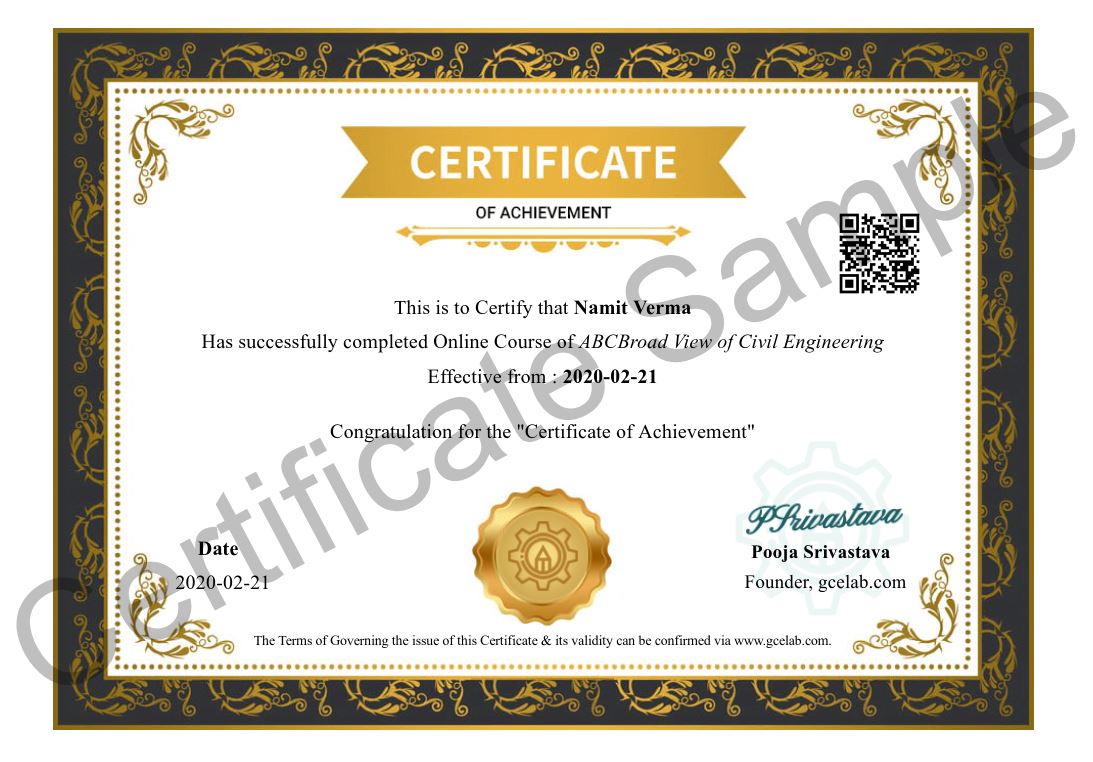
At GCE, we provide course completion certificates of all courses. Our certificate comes with unique QR Code to validate it online & download it whenever needed.
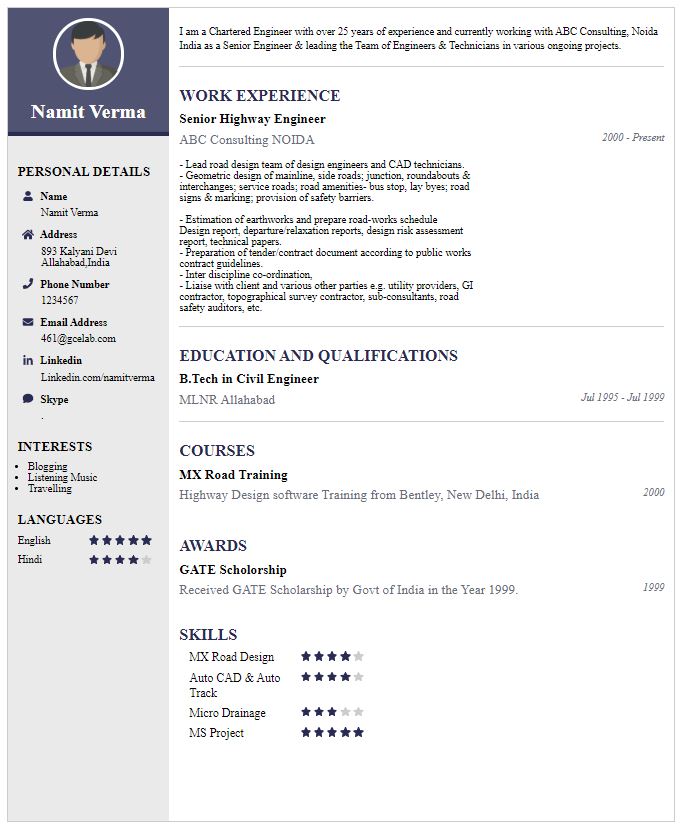
We build your CV with professionally designed Resume Builder Application. Our Resume Builder is not just another resume creation tool; it is the finest tool to present your career graph.







Our mission is to provide professionally trained Civil Engineers for all type of civil engineering services....
Copyright © 2026 Gurukul of Civil Engineers | All Right Reserved | Design & Developed By Ntier Infotech India.